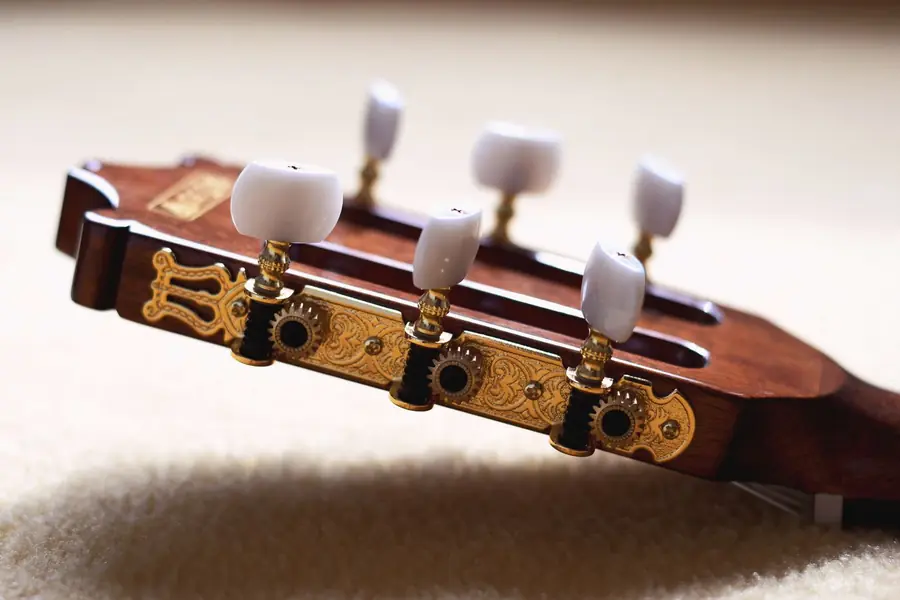
How to use the online guitar tuner
- Pick your instrument and tuning. Guitar (6 or 7 string), bass (4 or 5 string), ukulele, violin, viola, cello, mandolin, banjo or chromatic, then a tuning such as Standard, Drop D, DADGAD or Open G.
- Tap Start tuner and allow the microphone. Hold your phone or laptop near the soundhole or amp.
- Play one open string and let it ring. Auto-detect lights up that string on the headstock. To tune a specific string, tap its peg: you hear the reference note and the tuner locks to it.
- Read the needle. Left (red/amber) means flat, so tighten the string; right means sharp, so loosen it. When the needle is centred and the badge turns green with a ✓, the string is in tune.
- Check the drift graph. A flat line in the green band means the string is stable. Tune each string, then check them all once more, because changing one string’s tension slightly moves the others.
Standard guitar tuning notes and frequencies
Strings are numbered from the thinnest (1) to the thickest (6). A common way to remember EADGBE: Eddie Ate Dynamite, Good Bye Eddie.
| String | Note | Scientific pitch | Frequency (A4 = 440 Hz) |
|---|---|---|---|
| 6 | E | E2 | 82.41 Hz |
| 5 | A | A2 | 110.00 Hz |
| 4 | D | D3 | 146.83 Hz |
| 3 | G | G3 | 196.00 Hz |
| 2 | B | B3 | 246.94 Hz |
| 1 | E | E4 | 329.63 Hz |
Alternate guitar tunings with frequencies
Strings listed from 6th (low) to 1st (high). Frequencies in Hz at A4 = 440 Hz. Heavier tunings may need thicker strings: check our string gauge finder.
| Tuning | 6th | 5th | 4th | 3rd | 2nd | 1st |
|---|---|---|---|---|---|---|
| Drop D | D 73.4 | A 110.0 | D 146.8 | G 196.0 | B 246.9 | E 329.6 |
| Half-step down (Eb) | E♭ 77.8 | A♭ 103.8 | D♭ 138.6 | G♭ 185.0 | B♭ 233.1 | E♭ 311.1 |
| Whole-step down (D standard) | D 73.4 | G 98.0 | C 130.8 | F 174.6 | A 220.0 | D 293.7 |
| Drop C | C 65.4 | G 98.0 | C 130.8 | F 174.6 | A 220.0 | D 293.7 |
| Drop B | B 61.7 | F♯ 92.5 | B 123.5 | E 164.8 | G♯ 207.7 | C♯ 277.2 |
| DADGAD | D 73.4 | A 110.0 | D 146.8 | G 196.0 | A 220.0 | D 293.7 |
| Open G | D 73.4 | G 98.0 | D 146.8 | G 196.0 | B 246.9 | D 293.7 |
| Open D | D 73.4 | A 110.0 | D 146.8 | F♯ 185.0 | A 220.0 | D 293.7 |
| Open E | E 82.4 | B 123.5 | E 164.8 | G♯ 207.7 | B 246.9 | E 329.6 |
| Open C | C 65.4 | G 98.0 | C 130.8 | G 196.0 | C 261.6 | E 329.6 |
Bass, ukulele, violin and other instrument tunings
| Instrument | Notes (low to high) | Frequencies (Hz) |
|---|---|---|
| Bass, 4-string | E1 A1 D2 G2 | 41.20 · 55.00 · 73.42 · 98.00 |
| Bass, 5-string | B0 E1 A1 D2 G2 | 30.87 · 41.20 · 55.00 · 73.42 · 98.00 |
| Ukulele (GCEA) | G4 C4 E4 A4 | 392.00 · 261.63 · 329.63 · 440.00 |
| Violin | G3 D4 A4 E5 | 196.00 · 293.66 · 440.00 · 659.26 |
| Viola | C3 G3 D4 A4 | 130.81 · 196.00 · 293.66 · 440.00 |
| Cello | C2 G2 D3 A3 | 65.41 · 98.00 · 146.83 · 220.00 |
| Mandolin (pairs) | G3 D4 A4 E5 | 196.00 · 293.66 · 440.00 · 659.26 |
| Banjo, open G (5th string first) | G4 D3 G3 B3 D4 | 392.00 · 146.83 · 196.00 · 246.94 · 293.66 |
| 7-string guitar | B1 E2 A2 D3 G3 B3 E4 | 61.74 · 82.41 · 110.00 · 146.83 · 196.00 · 246.94 · 329.63 |
How to tune a guitar without a tuner
Use the 5th-fret method once your low E is right (from a piano, a reference note above, or another instrument):
- Press the 6th string at the 5th fret: that is A. Tune the open 5th string to match.
- 5th string, 5th fret = D: tune the open 4th string.
- 4th string, 5th fret = G: tune the open 3rd string.
- 3rd string, 4th fret = B: tune the open 2nd string (this is the one exception).
- 2nd string, 5th fret = E: tune the open 1st string.
Listen for the “wobble” (beating) between the two notes. It slows down as you get closer and disappears when they match. You can also tap any peg above to hear the target note and tune by ear.
Troubleshooting
- “Microphone blocked”: allow the mic for sandymusiclab.com in your browser’s site settings (lock icon), then tap Start again. On iPhone check Settings › Safari › Microphone.
- Noisy room or a band playing: move the mic close to the guitar, lower the sensitivity slider, and mute the other strings with your hand.
- Reads an octave off or jumps: pluck gently with the flesh of your thumb, let the note ring, and avoid hitting harmonics.
- Bass low B or E is slow to read: very low notes need a moment; let the string ring for a second. A laptop speaker mic may not pick up 31 Hz well, so a phone held near the bass or a headset mic works better.
- Playing live: a clip-on tuner is quicker on stage. See our picks for the best clip-on tuners and the best guitar tuners (pedal, polyphonic and strobe).
Keep learning
- Guitar chord finder: tap the fretboard to name any chord.
- Guitar chord charts for every key.
- How to stop strings from breaking while tuning
- Why drop D tuning is so popular
- How to tune a 12-string guitar
- Chrome guitar tuner extensions compared if you want a tuner in your browser toolbar.
- Free online metronome to practice in time once you are in tune.
- Guitar string tension calculator and all our free guitar tools.
FAQ
How do I tune my guitar with this online tuner?
Tap Start tuner and allow the microphone. Play one open string at a time and turn its peg until the needle sits in the green zone and the badge says In tune. Auto-detect picks the string for you; tap a peg on the headstock to lock a string or hear its note.
What are the standard guitar tuning frequencies?
Standard tuning from the 6th (thickest) string to the 1st is E2 82.41 Hz, A2 110.00 Hz, D3 146.83 Hz, G3 196.00 Hz, B3 246.94 Hz and E4 329.63 Hz, with A4 at 440 Hz.
Is this guitar tuner accurate?
The tuner uses the YIN pitch detection method with sub-sample interpolation. In our tests on synthetic guitar and bass tones it read within ±0.1 cent across 82–330 Hz. Real accuracy depends on a clean single note and a decent microphone; ±3 cents is inaudible to most listeners.
Does the tuner record or upload my audio?
No. The microphone only turns on after you tap Start, and the sound is analysed in your browser on your device. Nothing is recorded, stored or sent to any server. Tap Stop, or leave the tab, and the mic turns off.
Can I tune a bass, ukulele or violin with it?
Yes. Pick bass (4 or 5 string, down to low B at 30.87 Hz), ukulele, violin, viola, cello, mandolin or banjo, or use chromatic mode to tune any instrument note by note.
Why does the tuner jump around or show the wrong note?
Play one string at a time and let it ring, mute the other strings, and pluck with medium force about 12th fret position. Low strings can read an octave or a harmonic if plucked too hard. In a noisy room, lower the sensitivity slider. Turn the peg slowly and tune up to the note from below.
Can I use this guitar tuner online on my phone?
Yes. Open the page in your phone’s browser, tap Start tuner and allow the microphone. Hold the phone near the sound hole or amp, and play one string at a time. If the mic is blocked, check your browser’s microphone permission in your phone settings.
Should I tune to A=440 or A=432?
A4 = 440 Hz is the modern standard and what bands, recordings and most apps use. Use 432 Hz or another reference only if you are matching a recording, a piano or a group that uses it; set it with the A4 slider.
Why won't the tuner hear my microphone?
Your browser needs permission. Tap the lock or mic icon in the address bar, allow the microphone, and reload. On iPhone, check Settings > Safari > Microphone. Close other apps using the mic, and make sure the page is not muted or blocked by a work device policy.
Built and tested by David Sandy, a guitar player and the founder of Sandy Music Lab.