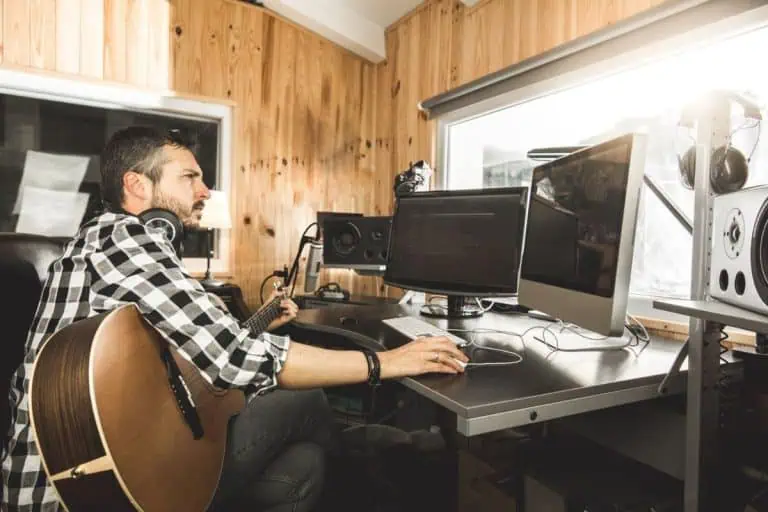
The best free DAW for most beginners on a Mac, iPhone or iPad is GarageBand, which Apple says can mix up to 255 audio tracks on a Mac. On Windows, Cakewalk Sonar’s free tier is the most complete free desktop DAW, with unlimited tracks and a free BandLab account required. BandLab is the best free option if you want to record in a browser or on a phone, Waveform Free is the best cross-platform desktop choice, Pro Tools Intro is the way to learn Avid’s official intro edition, and Audacity is a free audio editor rather than a full DAW.
Quick answer: use GarageBand if you are on a Mac, iPhone or iPad, and Cakewalk Sonar Free if you are on Windows and want unlimited tracks with VST plugins. Choose BandLab for browser, iOS and Android collaboration, Waveform Free for a no-track-limit DAW on Windows, macOS and Linux, Pro Tools Intro if you want to learn Avid’s 8-audio-track intro edition, and Audacity when you only need to edit audio. A Focusrite Scarlett 2i2 4th Gen is a current interface that includes bundled recording software.
Disclosure: some links in this guide are affiliate links. As an Amazon Associate, Sandy Music Lab earns from qualifying purchases at no extra cost to you, and commissions never decide which products make a list. See our editorial policy.
Which free DAW should you use?
The best free DAW for most beginners is GarageBand on a Mac, iPhone or iPad, or Cakewalk Sonar Free on Windows if you want unlimited tracks and VST plugins. Choose BandLab for a browser or phone, Waveform Free for a cross-platform DAW, Pro Tools Intro to learn Avid’s 8-track intro edition, and Audacity when you only need a free editor.
| DAW or tool | Official platforms | Official track or role note | Third-party plugins | Best for |
|---|---|---|---|---|
| GarageBand | Mac, iPhone, iPad | Up to 255 audio tracks on a Mac | Audio Units on Mac | Apple beginners |
| Cakewalk Sonar Free | Windows | Unlimited audio, MIDI and instrument tracks | VST2 and VST3 | Complete free Windows DAW |
| BandLab | Web, iOS, Android | Account-based cloud studio | Built-in effects in the web studio | Any device and collaboration |
| Waveform Free | Windows, macOS, Linux | No track limit, no trial expiry | VST, VST3 and Audio Units | Cross-platform desktop DAW |
| Pro Tools Intro | Windows, Mac | 8 audio, 8 instrument and 8 MIDI tracks | AAX only | Learning Pro Tools |
| Audacity | Windows, macOS, Linux | Audio editor and recorder | Some effect plugins | Editing, not songwriting |
| Focusrite Scarlett 2i2 4th Gen | Hardware interface | Bundled software includes Ableton Live Lite and Pro Tools Intro+ | Depends on the bundled DAW | Getting clean inputs |
Official limits and platforms were checked against Apple, Cakewalk, BandLab, Tracktion, Avid, Audacity and Focusrite pages. The Amazon link below is a tagged search link for the interface only. For a paid-versus-free overview, see best guitar recording software and DAWs.
What should you look for in free recording software?
Look first at the computer or phone you already own, then at track limits, plugin format and whether you can work offline. A free DAW that will not run on your system is useless, which is why GarageBand is an Apple-only pick and Cakewalk Sonar Free is a Windows pick in this guide.
Plugin support matters if you already own amp sims or effects: VST on Windows, Audio Units on a Mac, and AAX inside Pro Tools. For guitar, you also need a way to get a clean input, low enough latency to play along, and a simple mix-and-export path. See home recording studio setup and how to fix recording latency.
What are the best free DAWs in 2026?
The seven options below cover Apple, Windows, web, Linux, Pro Tools Intro and a current audio interface with bundled software. Limits and platforms were checked against official pages. We have not laboratory-tested every feature set in the Sandy Music Lab studio.
1. GarageBand
Apple’s free DAW for Mac, iPhone and iPad. Apple’s official GarageBand for Mac page states that you can create and mix up to 255 audio tracks. On a Mac it supports Audio Units plugins; the iPhone and iPad versions are built for touch and use Apple’s own sounds and effects. It is not available on Windows or Linux, and the usual paid upgrade path is Logic Pro. See GarageBand for Mac.
Best for: Beginners on Apple devices, especially guitarists and songwriters who want a simple free DAW.
2. Cakewalk Sonar Free
The current free Windows DAW from Cakewalk, not the older Cakewalk by BandLab product. Official Cakewalk help says the free tier requires a free BandLab account and includes unlimited audio, MIDI and instrument tracks, with some features reserved for the paid membership tier. It supports VST2 and VST3 plugins. It is not a Mac DAW. See Cakewalk Sonar and the free-tier comparison.
Best for: Windows users who want a complete free desktop DAW with plugin support.
3. BandLab
A free, account-based DAW that runs in a web browser and in official iOS and Android apps, which makes it the usual choice for Chromebooks, phones and remote collaboration. The web studio is built around BandLab’s own effects and sounds rather than a typical desktop VST or Audio Units workflow. You can start a song on one device and open it on another. See BandLab. For a BandLab-versus-GarageBand walkthrough, see record vocals in BandLab or GarageBand.
Best for: Players who want a free DAW on any device, including phones and Chromebooks, or who need easy collaboration.
4. Waveform Free
Tracktion’s official free DAW for 64-bit Windows, macOS and Linux, with no track limit and no trial expiry. Official feature notes include built-in instruments and effects plus support for third-party VST, VST3 and Audio Units plugins. The interface is more advanced than GarageBand, so it is a better fit if you want a cross-platform desktop DAW rather than the simplest possible screen. See Waveform Free.
Best for: Players on Windows, Mac or Linux who want a no-track-limit free desktop DAW.
5. Pro Tools Intro
Avid’s official free intro edition of Pro Tools, available for Windows and Mac. Avid’s current comparison lists a limit of 8 audio tracks, 8 instrument tracks and 8 MIDI tracks per session, plus a small number of aux and master tracks. It uses AAX plugins, not VST or Audio Units. It is the right choice if you want to learn the Pro Tools workflow, not if you need a lot of tracks. See the Pro Tools comparison.
Best for: Beginners who want to learn Pro Tools and can work within the 8-track intro limits.
6. Audacity
A free, open-source audio editor for Windows, macOS and Linux, not a full DAW. It is excellent for recording a single take, cutting, cleaning up noise and exporting a file, and it can layer tracks, but it lacks the MIDI instruments, mixer workflow and built-in amp tools of GarageBand, Sonar or Waveform Free. Some effect plugins are supported, depending on the official build you install. See Audacity.
Best for: Players who need a free audio editor more than a songwriting DAW.
7. Focusrite Scarlett 2i2 4th Gen
A current two-in, two-out USB audio interface, not a DAW itself. Focusrite’s official Scarlett 2i2 page still lists the 4th Generation model, and the included software bundle officially includes Ableton Live Lite, Pro Tools Intro+ and the Hitmaker Expansion collection. It is a practical way to get guitar or vocal inputs and a starter DAW license in one purchase. See the official Scarlett 2i2 page.
Best for: Players who need a current 2-in/2-out interface and bundled recording software.
Check Focusrite Scarlett 2i2 4th Gen on Amazon
Is BandLab or GarageBand the better free DAW?
GarageBand is the better free DAW if you use a Mac, iPhone or iPad and want offline recording, Audio Units on a Mac, and Apple’s built-in amps, drums and loops. BandLab is better if you need a browser or Android option, easy cloud backups, or real-time collaboration with someone on another device.
They are not direct replacements. GarageBand does not run on Windows, and BandLab’s web studio is not a typical VST host. If you are on Windows and want a full desktop DAW, Cakewalk Sonar Free or Waveform Free is a better comparison than BandLab versus GarageBand. For a closer walkthrough of the two, see record vocals in BandLab or GarageBand.
When is it worth paying for a DAW?
It is worth paying when you hit a hard limit, such as Pro Tools Intro’s 8 audio tracks, or when you need a feature the free edition does not include, such as a paid Sonar membership tool or Logic Pro’s larger library. The microphone, room, performance and mix still matter more than the logo on the software.
Free DAWs such as GarageBand, Cakewalk Sonar Free and Waveform Free can record and mix release-quality music. Upgrade when the free tool is clearly in your way, not because a paid DAW is fashionable. If you are still setting up the room and the interface, start with home recording studio setup.
How we researched this guide
We checked platforms, track limits and bundled software against official Apple, Cakewalk, BandLab, Tracktion, Avid, Audacity and Focusrite pages. Cakewalk Sonar Free is the current free Windows product; it is not the older Cakewalk by BandLab edition.
Sandy Music Lab is written by David Sandy, and our editorial policy explains how we choose and update guides.
Free DAW FAQs
What is the best free DAW for beginners?
GarageBand is the best free DAW for beginners on a Mac, iPhone or iPad. On Windows, Cakewalk Sonar Free is the most complete free desktop option. BandLab is the best starting point if you want to record in a browser or on a phone.
Is Cakewalk still free?
Yes, as Cakewalk Sonar Free, which official Cakewalk help describes as a free tier that requires a free BandLab account and includes unlimited audio, MIDI and instrument tracks. The older Cakewalk by BandLab product is no longer the current free edition.
Is BandLab or GarageBand better?
GarageBand is better for offline recording and, on a Mac, Audio Units plugins. BandLab is better for cross-platform use, cloud saving and collaboration. If you use Windows, compare Cakewalk Sonar Free or Waveform Free instead of forcing an Apple-only DAW.
Can you make professional music with a free DAW?
Yes. GarageBand, Cakewalk Sonar Free and Waveform Free can record and mix release-quality music. The performance, microphone, room and mix matter more than whether the DAW was free.
Is Audacity a DAW?
Audacity is a free audio editor and recorder, not a full DAW. It can layer tracks and clean up audio, but it lacks the MIDI instruments and typical song-mixing workflow of GarageBand, Sonar or Waveform Free.
Do free DAWs support VST plugins?
Cakewalk Sonar Free and Waveform Free support VST plugins, GarageBand on a Mac supports Audio Units, and Pro Tools Intro supports AAX. BandLab’s web studio uses built-in effects rather than a typical desktop plugin host.