Disclosure: Sandy Music Lab is reader-supported. Some links on this page are Amazon affiliate links, and we may earn a small commission if you buy through them, at no extra cost to you.
Learning how to record vocals at home is mostly about controlling three things: the room, the distance between you and the mic, and your input level. Get those right and even an affordable mic can sound great. This guide is part of our home recording studio setup series.
Short answer: to record good vocals at home, sing into a cardioid mic 6–8 inches away through a pop filter, in the quietest, most soft-furnished space you have. Set the interface gain so peaks land around -12 dBFS, monitor on closed-back headphones, record several takes and keep the best parts. Room control matters more than an expensive mic.
🎸 Free download
Not sure which guitar is right for you?
Get the free Guitar Gear Cheat Sheet: match your style, budget and hands to the right guitar in 2 minutes. You’ll also get my 30-Day Practice Plan as a bonus.
Send My Cheat Sheet →What Do I Need to Record Vocals?
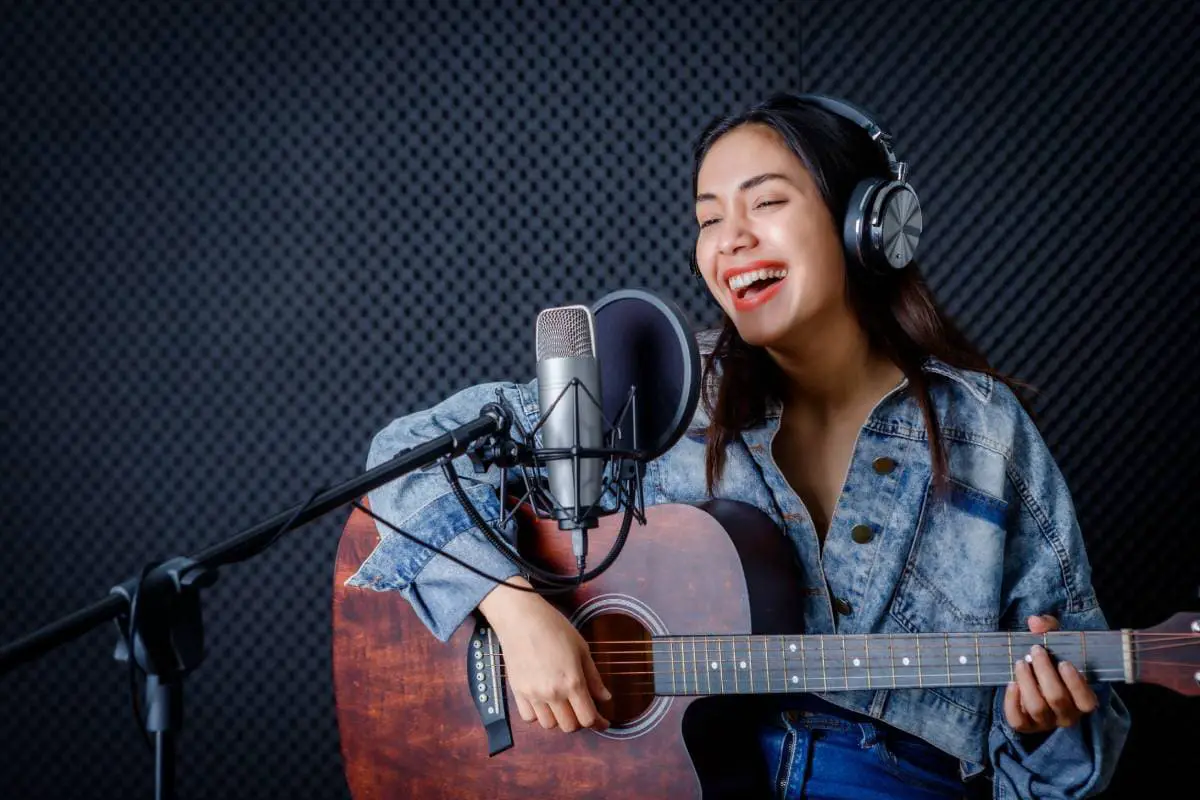
The first question most singers ask is “what do I need to record vocals?” Here’s the essential kit:
| Item | Why you need it | Example |
|---|---|---|
| Microphone | Captures your voice | Audio-Technica AT2020 condenser (Check price on Amazon) or Shure SM58 dynamic (Check price on Amazon) |
| Audio interface | Powers and converts the mic signal | Focusrite Scarlett Solo (Check price on Amazon) |
| Pop filter | Stops “p” and “b” blasts | Dual-layer gooseneck filter (Check price on Amazon) |
| Closed-back headphones | Lets you hear the track without bleed | beyerdynamic DT 770 PRO 80 ohm (Check price on Amazon) |
| Mic stand + XLR cable | Holds the mic steady | Any sturdy boom stand |
| DAW | Records and edits | GarageBand, BandLab, or your interface’s bundled software |
Prefer a simpler laptop setup? A USB mic replaces the interface. See how to record vocals in BandLab and GarageBand and our best vocal mics for home recording.
Condenser or dynamic?
Condenser mics capture more detail and air, but also more of your room. Dynamic mics are more forgiving of untreated rooms and loud singers. If your room is noisy or echoey, start with a dynamic. Our dynamic vs condenser mic guide goes deeper.
Vocal Mic Placement
Good vocal mic placement is free and makes a bigger difference than most upgrades.
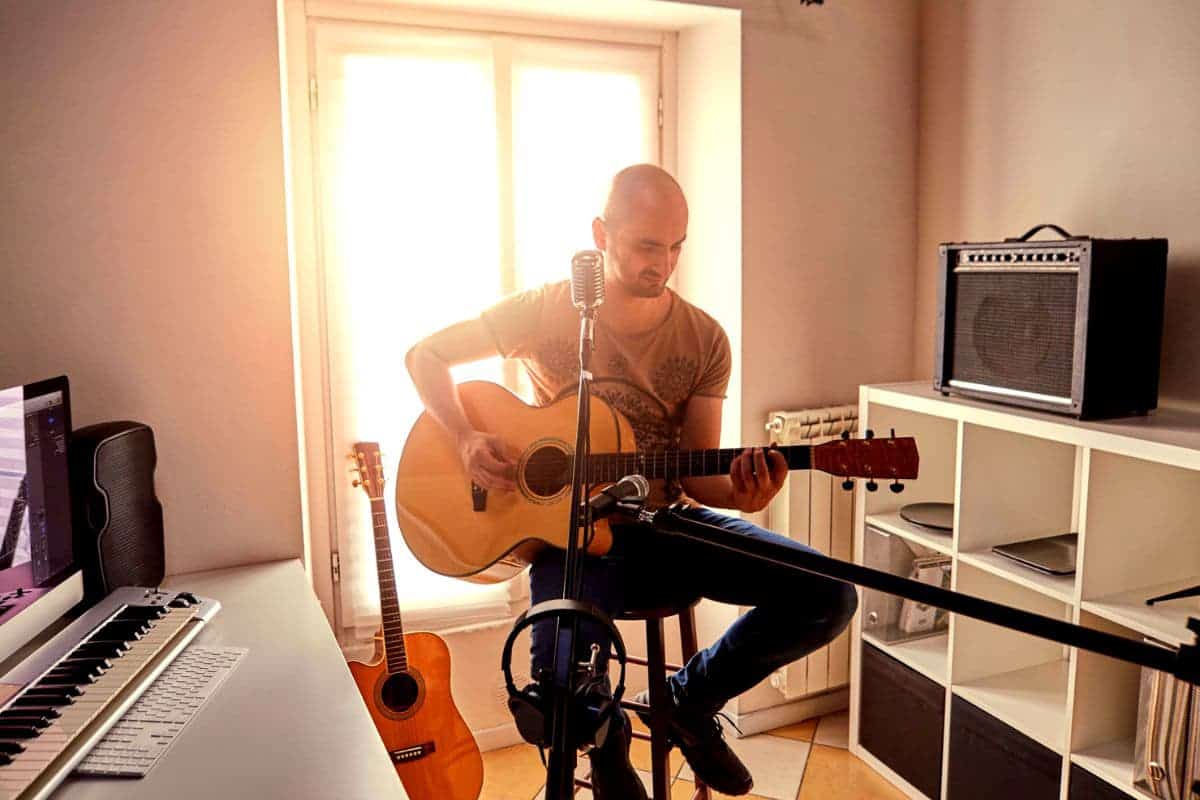
- Distance: 6–8 inches from a condenser, 2–4 inches from a dynamic. Use a fist-and-a-half (or a spread hand) as a quick measure.
- Height: level with your mouth or slightly above, angled down a little. This reduces sibilance and plosives and keeps your posture open.
- Pop filter: 2–3 inches in front of the mic, between you and the capsule.
- Side-address vs end-address: sing into the side of side-address condensers like the AT2020 (the side with the logo). Sing into the top of end-address mics like the SM58.
- Consistency: mark your spot on the floor so every take sounds the same.
- Proximity effect: getting closer adds bass and warmth; backing off sounds thinner and more natural. Use it on purpose.
Fix Your Room First
Your room is part of the sound. Hard, parallel walls create echoes that cheap mics capture and plugins can’t fully remove.
- Choose the right spot. Avoid the center of small rooms and spots near windows or bare walls.
- Put softness behind you. The mic hears what is behind the singer most, so hang a duvet or panel there.
- Use what you have. Couches, bookshelves, rugs and curtains all help. A closet full of clothes is a classic vocal booth.
- Add panels. Two to four absorption panels around the mic position make a huge difference. See acoustic treatment on a budget.
- Kill noise. Turn off fans, fridges in the next room and noisy computers during takes.
Knowing how to record vocals at home saves money on studio time.
How to Record Vocals at Home: Step by Step
- Warm up your voice for 5–10 minutes.
- Set up the mic and pop filter at the placement above.
- Create a mono audio track in your DAW and select the mic input.
- Turn on phantom power (48V) if you’re using a condenser.
- Set the gain while singing the loudest part of the song. Peaks should sit around -12 dBFS, never in the red.
- Build a headphone mix. Keep the backing track a little quieter than you think and add a touch of reverb to your voice in the headphones only, which helps pitch and confidence.
- Record three to five full takes, then focused takes on difficult lines.
- Comp. Choose the best phrases from each take and combine them.
- Edit lightly. Remove breaths that are too loud and tighten timing where needed.
- Process last. High-pass around 80–100 Hz, gentle compression, de-essing and reverb.
The best way to practice how to record vocals at home is to record a short verse and listen back.
Recording Doubles, Harmonies and Ad-Libs
Once your lead vocal is done, extra layers make a home recording sound finished. Record a double of the chorus lead line, singing it as identically as you can, and pan the two takes slightly apart or tuck the double underneath. Add harmonies a 3rd above or below the melody on separate tracks. Finally, record ad-libs with a bit more freedom. Keep the same mic placement for every layer so the voices blend. This is one of the most overlooked parts of how to record vocals at home, and it’s often the difference between a demo and a release.
Once you know how to record vocals at home, harmonies and doubles are the fun part.
Recommended Settings
| Setting | Value |
|---|---|
| Sample rate / bit depth | 48 kHz / 24-bit |
| Peak level | -12 to -6 dBFS |
| Buffer while recording | 64–128 samples |
| High-pass filter (mix) | 80–100 Hz |
| Mic distance | 6–8 in (condenser), 2–4 in (dynamic) |
Common Vocal Recording Mistakes
- Recording too hot. Digital clipping can’t be fixed. Leave headroom.
- Singing to a bare wall. Face the room’s softest side.
- Changing distance between takes. It changes the tone and makes comping obvious.
- Over-processing. Heavy auto-tune and compression can’t save a poor recording.
- No headphones. Speakers bleed into the mic.
Guitar players can use the same principles when miking acoustic instruments; see how to mic an acoustic guitar for recording. And if you’re recording in a shared space, our tips for keeping a guitar in a dorm room cover working around roommates and noise.
Once you know how to record vocals at home, practice the process a few times before your “real” session. The more automatic the setup becomes, the more energy you can put into the performance – and the performance is what people hear.
Keep Learning on Sandy Music Lab
- Home Recording Studio Setup for Guitarists & Songwriters
- Best Vocal Microphones for Home Recording
- How to Record Vocals in BandLab & GarageBand (Step by Step)
- How to Mic an Acoustic Guitar for Recording (Placement Guide)
- Home Recording Setup for Guitar: What Beginners Actually Need
- Why Do Acoustic Electric Guitars Need Batteries?