As a guitar player, one of the most frustrating problems you might encounter in life is your amp acting up and refusing to work. It is even more frustrating if the problems seem contradictory, like the amp turning on but producing no sound. Such problems need careful deliberation, and you must tread carefully if you wish to correctly diagnose and solve the problem.
If the guitar amp is not working but a light is on, it implies that there is a problem with the wiring or the preamp or amp. Another thing it might point to is a blown speaker. You should also rule out any trivial problems that may arise before you proceed.
This article will cover why your amp might refuse to make sound despite being on. We’ll go over what you can do to correctly diagnose and fix this issue, so you can soon go back to your riffing and soloing.
Related: our guitar amp modeling guide covers the basics in one place.
Guitar Amp Not Working but a Light Is On: 6 Steps to Fix It
If your guitar amp is not working but a light is on, there are a few things you can try to fix it:
- Check the power source: Make sure that the amp is properly plugged into a power source and that the power outlet is working. Sometimes a loose or faulty power source can cause issues with the amp.
- Check the fuses: If the amp has a fuse, check to see if it has blown. If the fuse is blown, replace it with a new one. Fuses can often be found on the back of the amp, near the power input.
- Check the cables: Make sure that all of the cables connected to the amp are securely plugged in. Loose or faulty cables can cause issues with the sound.
- Check the volume and tone knobs: Sometimes the issue may be with the volume or tone knobs. Make sure that they are turned up and that the amp is not on mute.
- Check the tubes: If your amp uses tubes, it is possible that one or more of them have gone bad. You can check the tubes by visually inspecting them or using a tube tester. If a tube is bad, replace it with a new one.
- Seek professional help: If none of these steps work, it may be time to take your amp to a professional for repair. They will be able to diagnose the issue and make the necessary repairs.
In any case, be sure to follow all safety precautions when working with electronic equipment, and if you are not comfortable with any of the steps listed above, seek professional help.
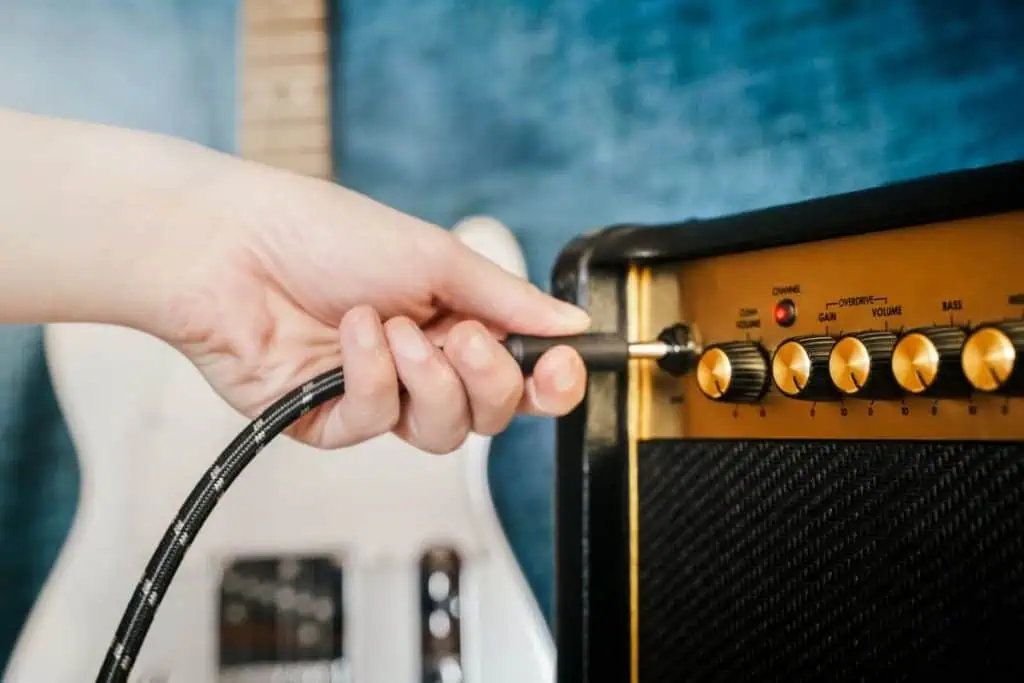
1. Rule Out Trivialities for Fixing the Guitar Amp
Many seemingly complex guitar problems are often caused by trivial things that we simply don’t notice. Instead of rooting out the simple issues first, we’re often prone to beating our heads against the wall in frustration because we can’t find the source of what’s preventing us from playing music. All the while, the basic issues are right under our noses.
I’ve been frustrated with my amp not working countless times, only to see that my guitar’s volume was turned all the way down. When facing a problem, it’s best to go over the most basic problems to save yourself time and potentially money.
Often, a guitar amp not working will seem catastrophic, and we’ll automatically look for a big problem, ignoring everything else. You might think at such moments that so much trouble can’t be caused by something simple.
However, checking for trivial problems and solving them on the go will only take a few minutes, and it might prevent you from wasting time and money on a wild goose chase. Plus, you risk causing damage anytime you change something on your amp, which might set you back a few hundred or even a few thousand dollars.
Instead of risking that, go through the basics first. Here are some things you should do:
- Check if the cable is working.
- Inspect the jacks for rust.
- See if your guitar is turned up.
- Check if the amp is turned up.
- Inspect the pedals.
Let’s briefly examine why these things are important.
1. Check if the Cable Is Working
A faulty guitar cable won’t allow signals to be transferred from your guitar to your amp, making it sit quiet. Guitar cables break and get damaged easily, plus they are prone to corrosion and oxidation, so it is very likely that you’ll have problems with your cable rat