Guitars go out of tune relatively easily, and an out-of-tune guitar can ruin a perfectly enjoyable jam session pretty quickly. Therefore, it’s important that you understand how to tell when a guitar is correctly tuned and when it is not so you can promptly adjust the turning knob and carry on playing.
Here are five ways to tell if your guitar is tuned correctly:
- Use a tuner app.
- Check your guitar’s tuning using natural harmonics.
- Play a familiar song and see if the notes sound correct.
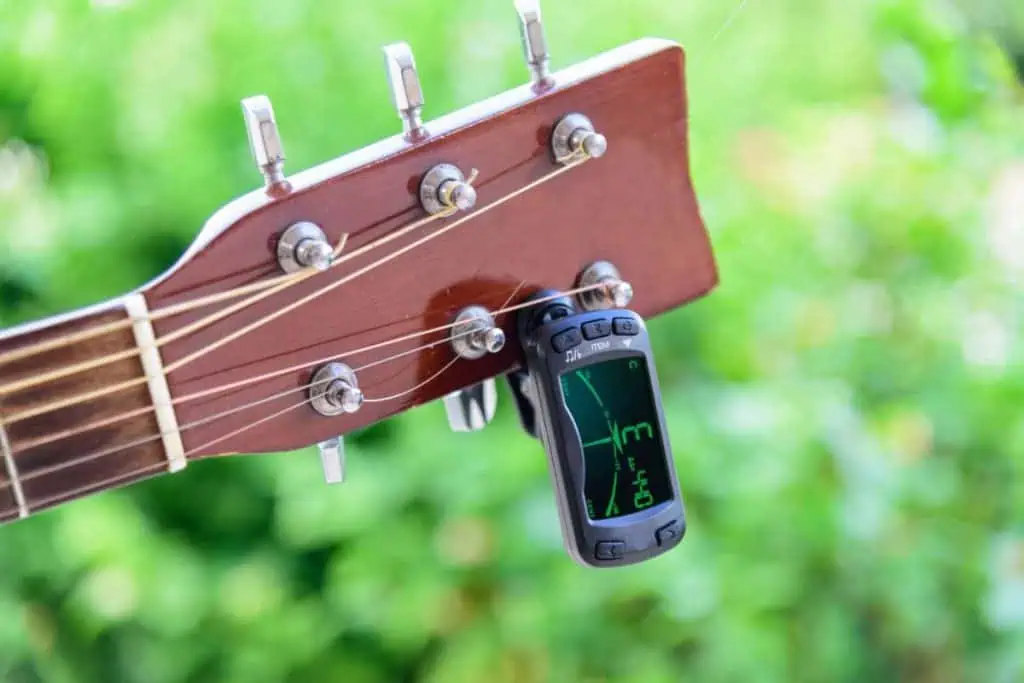
- Use a guitar tuner.
- Check tuning with reference pitches.
Below, I’ll explain each of these approaches more in-depth. By the end of this read, you’ll have a clearer understanding of how to tell when your guitar is properly tuned and when it is not.
Related: is acoustic guitar harder to play than electric and how to tune an acoustic guitar without a tuner. New to this topic? Start with our self-taught guitar roadmap.

1. Use a Tuner App
One way to check your guitar’s tuning is to use a tuning app. Tuning apps are a convenient way to check and see if your guitar is tuned correctly, as most people who have smartphones have them on their person almost all the time. Therefore, you most likely won’t find yourself in a situation where you need to check your guitar’s tuning, but don’t have a tuner with you.
Tuner apps use the microphone on a smartphone to hear the guitar and determine whether the string is in tune or not. This is a relatively accurate way to check a guitar’s tuning, but the microphone may pick up external noises, influencing the reading.
This is likely not going to be an issue if you’re home alone or in a relatively quiet environment; however, if you’re in a busy public area, it may be difficult to get an accurate idea of whether your guitar is tuned correctly.
There are two kinds of smartphone app tuners: one kind (which I used as an example above) uses the microphone to listen to the guitar and help you get it in tune, while the second provides a reference note that helps you determine if your guitar is tuned.
Many of the apps work the same way. In general, here’s how you use a smartphone tuner app:
- Choose which tone you want for the first string and tap the corresponding string or button on your phone to start playing the note, then play the string on your guitar.
- Hold your phone as close to the guitar as possible to get the most accurate reading.
- Turn the tuner knob to try and match the pitch of your guitar to the tone playing on the app.
- Many apps will indicate if your guitar’s tone is too high or low – this helps you determine how to adjust your tuner knob.
- Once your string matches the pitch of the corresponding string on the app, that string is tuned.
- Repeat the process with all the remaining strings.
When you’re trying to decide which tuner app to use, there are some features you should look out for, including:
- A clear, easy-to-read display. It shouldn’t take too long for you to check if your guitar is tuned correctly, and if you’re using a tuner app with an overly-complicated display, the process could take longer than it should. The best apps have a simple display that shows you the pitch and how flat or sharp the sound is, allowing you to quickly adjust as necessary.
- Multiple tunings. Most players use standard guitar tunings; however, advanced musicians like to use a more complex approach, and the best apps can show you how to tune your strings according to these variations.
- Ability to tune multiple instruments. The best tuner apps can help you tune more than just your guitar. Many guitar players play other stringed instruments, such as a ukulele or banjo, and your app should help you tune these instruments as well.
The following table outlines some of the most popular tuner apps you can use to check and see if your guitar is tuned correctly:
| Name of App, Cost, and Compatibility | Pros | Cons |
| Fender Tune Free, but the Pro version is $4.99 Compatible with iOS and Android | Auto and manual tuning settingsGood for beginners because of the Tips featureEasy to use | Extremely sensitive to noise, so if there’s any background noise at all, the app may not workRequires the Fender Slide to plug your guitar into the phone, which is an expensive accessory |
| Guitar Tuna Free, with various in-app purchases available Compatible with iOS and Android | Auto and manual tuning settingsComes with chord learning games, a metronome, a chord library, pitch calibration, and a songbookCan be used to tune other stringed instruments, including bass, ukulele, and banjoEasy to useAccurate | Some features require in-app purchases |
| gStrings Free Only compatible with Android | Screen display is big, so this is a good app for people with visibility issuesEasy to navigateAbility to adjust microphone sensitivityOption to tune by earOffers the ability to tune non-stringed instruments | The app can be a bit slow to register sound Not compatible with iPhones and iWatches |
| BOSS Tuner Free Only compatible with iOS | Uses chromatic tuningNo in-app purchasesAbility to tune non-stringed instrumentsLED segment meter that acts as a visual indicatorPlays reference pitches continually until you inform the app to stopNo pop-up ads | Not compatible with AndroidToo many notification alerts |
| Pano Tuner Free, paid option available Compatible with iOS and Android | Quick responseChromatic tunerCan tune any instrumentCustomizable settings where you can choose to view the notes as letters or as Do Re Mi | This app is only a tuner; there are no extra featuresLots of pop-up ads |
| Pitched Tuner Free, Pro option available for $3.99 Compatible with iOS | Ability to customize the interface style, volume sensitivity, and note nameSleek displaySimple interfaceEasy to use | Requires in-app purchase to remove ads and get custom tunings |
Using a tuner app is an excellent, convenient way to check if your guitar is tuned correctly, but it isn’t your only option.
2. Check Your Guitar’s Tuning Using Natural Harmonics
Harmonics make a unique bell sound on a guitar, and you can use these sounds to check if your guitar is tuned correctly. The easiest harmonics to play are above the fifth, seventh, and twelfth frets.
<